Keycloak
Requirements
To integrate Pyplan with Keycloak it will be necessary to create a SAML client in the Keycloak realm that your users sign in to.
Keycloak rejects return URLs whose query string contains a reserved OAuth/OIDC parameter, such as code. For this reason, Keycloak integrations use URLs that carry the Pyplan company code in the path instead of in the ?code= query parameter used by other identity providers:
| Field | Value |
|---|---|
| Client ID (Entity ID) | https://[DNS_CLUSTER_INGRESS]/api/saml2/metadata/?code=[COMPANY_NAME] |
| Assertion Consumer Service (POST) | https://[DNS_CLUSTER_INGRESS]/api/saml2/acs/[COMPANY_NAME]/ |
| Logout Service (POST) | https://[DNS_CLUSTER_INGRESS]/api/saml2/ls/post/[COMPANY_NAME]/ |
| Logout Service (Redirect) | https://[DNS_CLUSTER_INGRESS]/api/saml2/ls/[COMPANY_NAME]/ |
The Client ID keeps the ?code= form: Keycloak doesn't treat it as a return URL.
Pyplan must configure your company with these same URLs. Let the Pyplan team know that your identity provider is Keycloak when you start the integration.
Instructions
Download the Pyplan Metadata File
Download the service provider metadata for your company from:
https://[DNS_CLUSTER_INGRESS]/api/saml2/metadata_generator?company=[COMPANY_NAME]&url_style=path
Keep the url_style=path parameter. Without it, the file contains the ?code= URLs that Keycloak rejects.
Import the Client
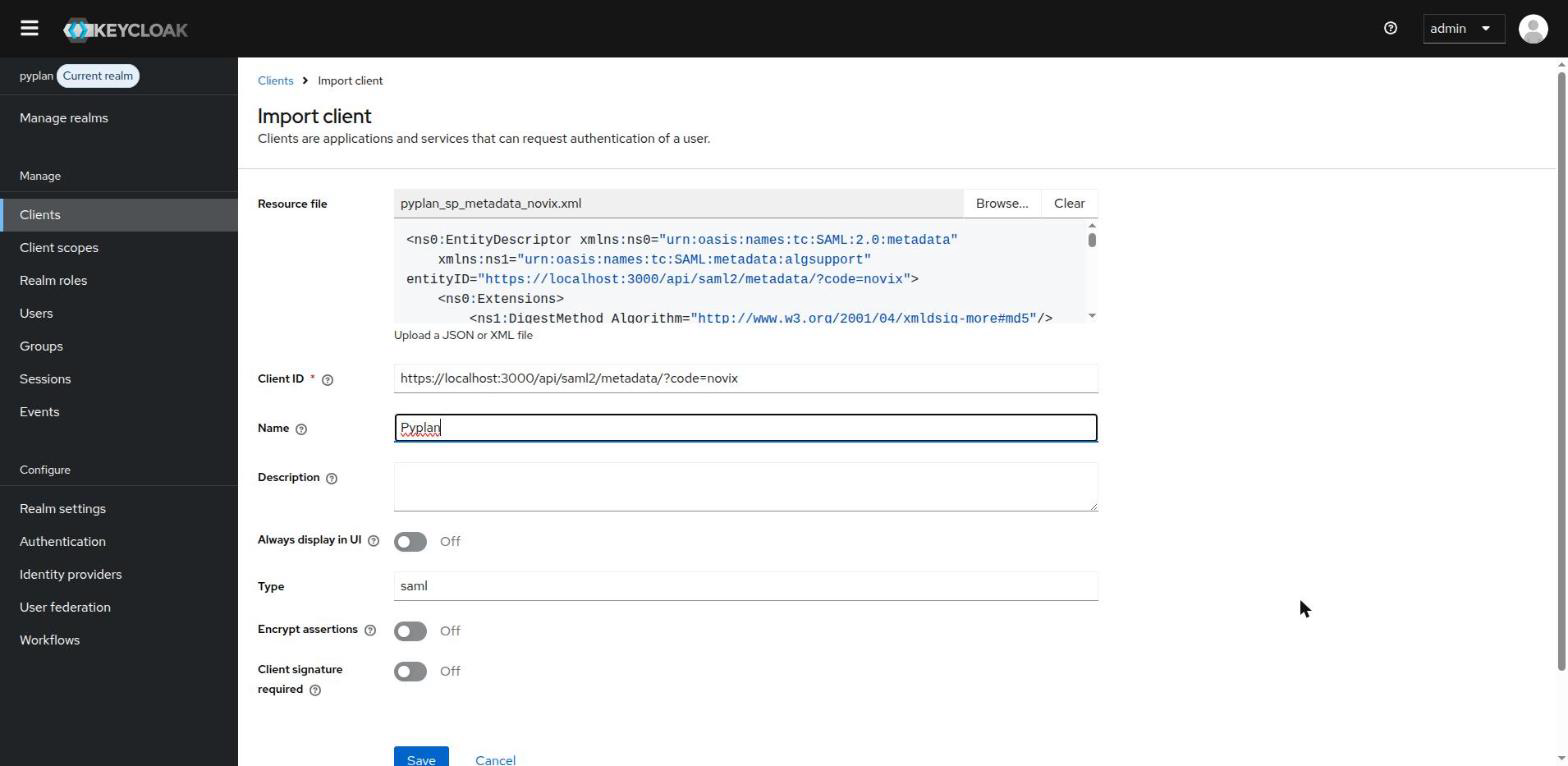
In the Keycloak admin console, select your realm and go to Clients → Import client. Upload the metadata file as the Resource file: Keycloak fills in the Client ID from it. Optionally, enter Pyplan as the Name.
Leave Client signature required turned off and click Save.
Review the Client Settings
The import configures the client from the metadata file. Check that the following values are set in the Settings tab.
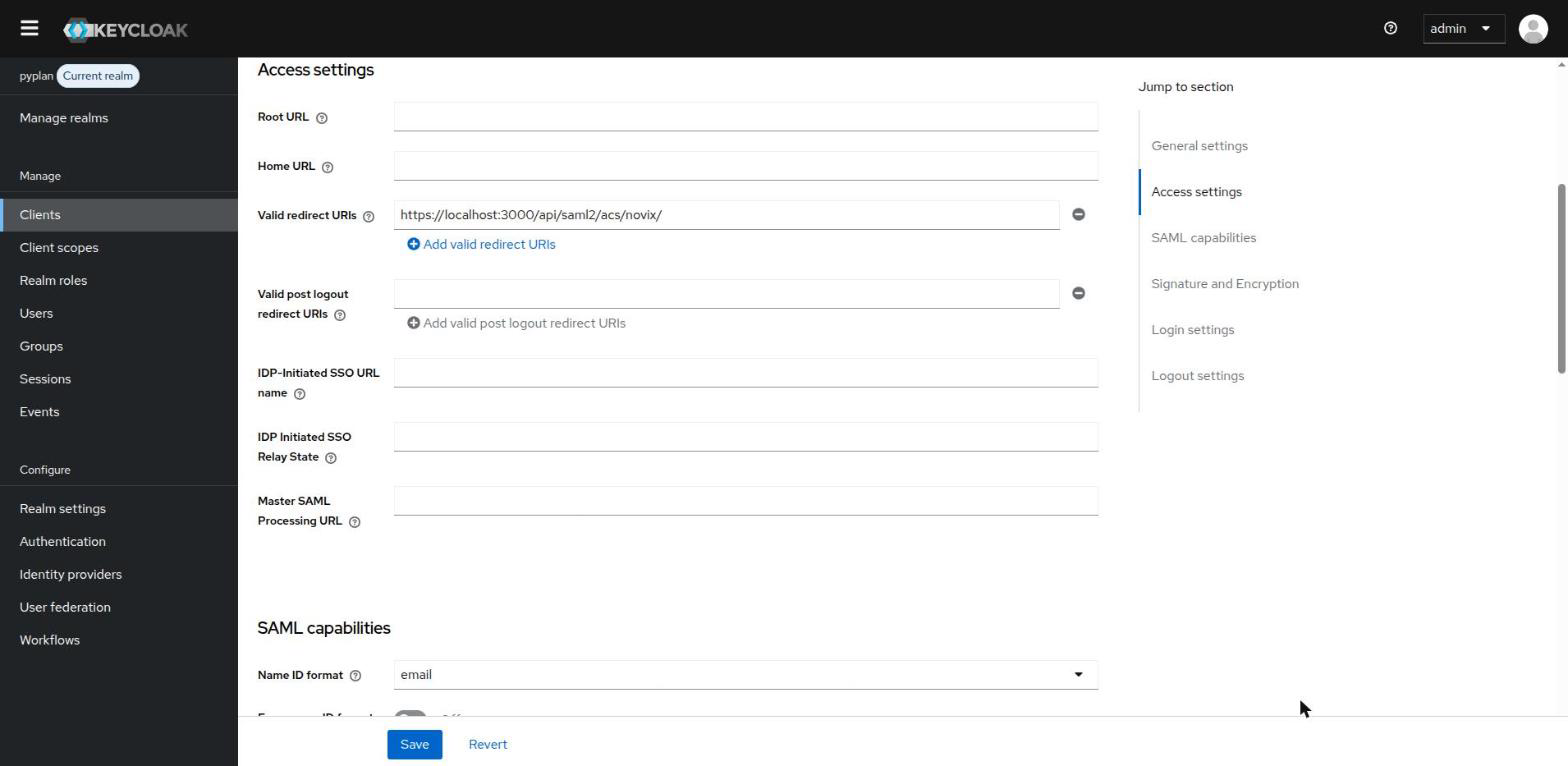
Access settings: Valid redirect URIs contains the Assertion Consumer Service URL, with the company code in the path.
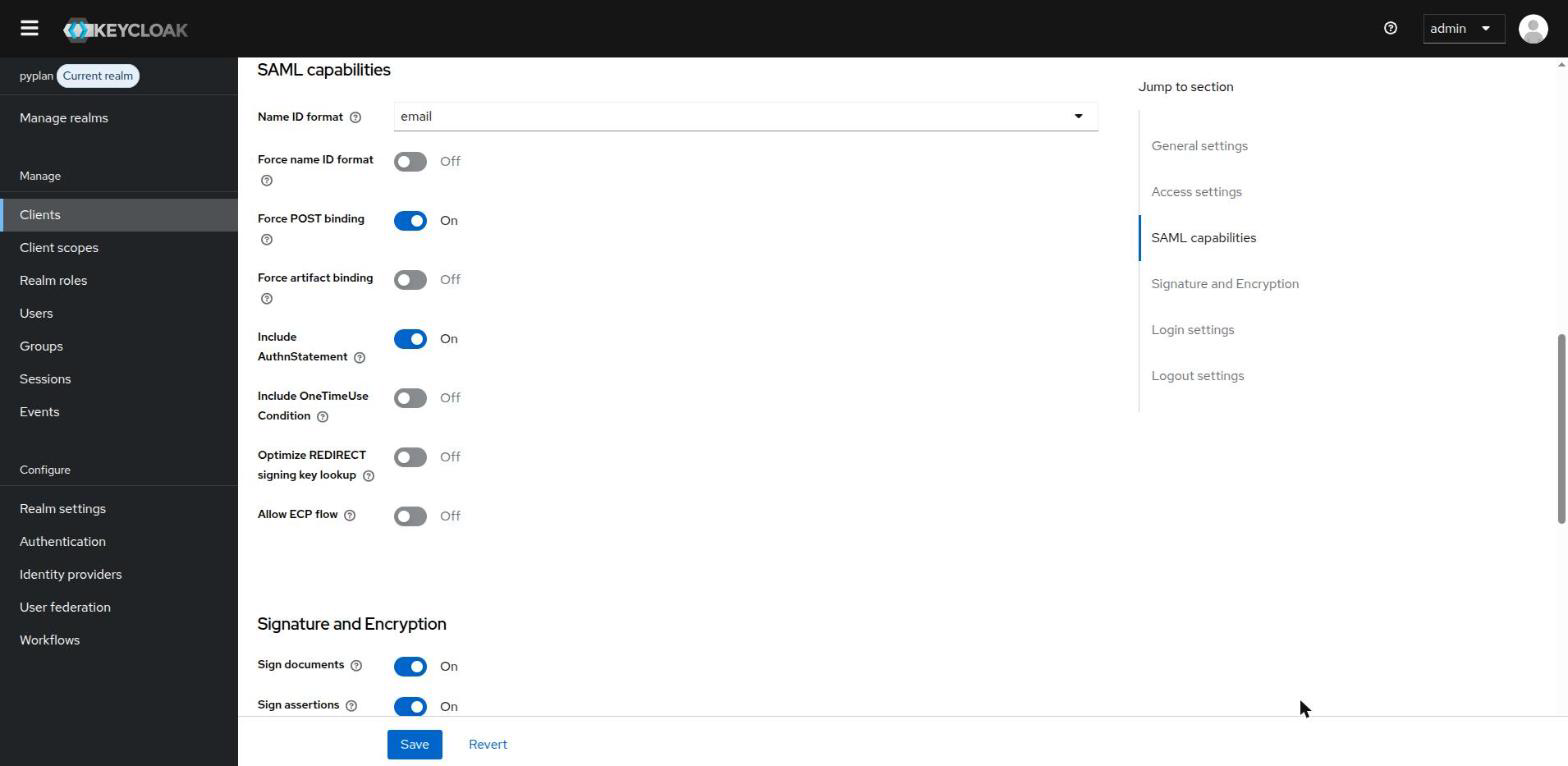
SAML capabilities: Name ID format is email and Force POST binding is on.
Signature and Encryption: Sign assertions is on.
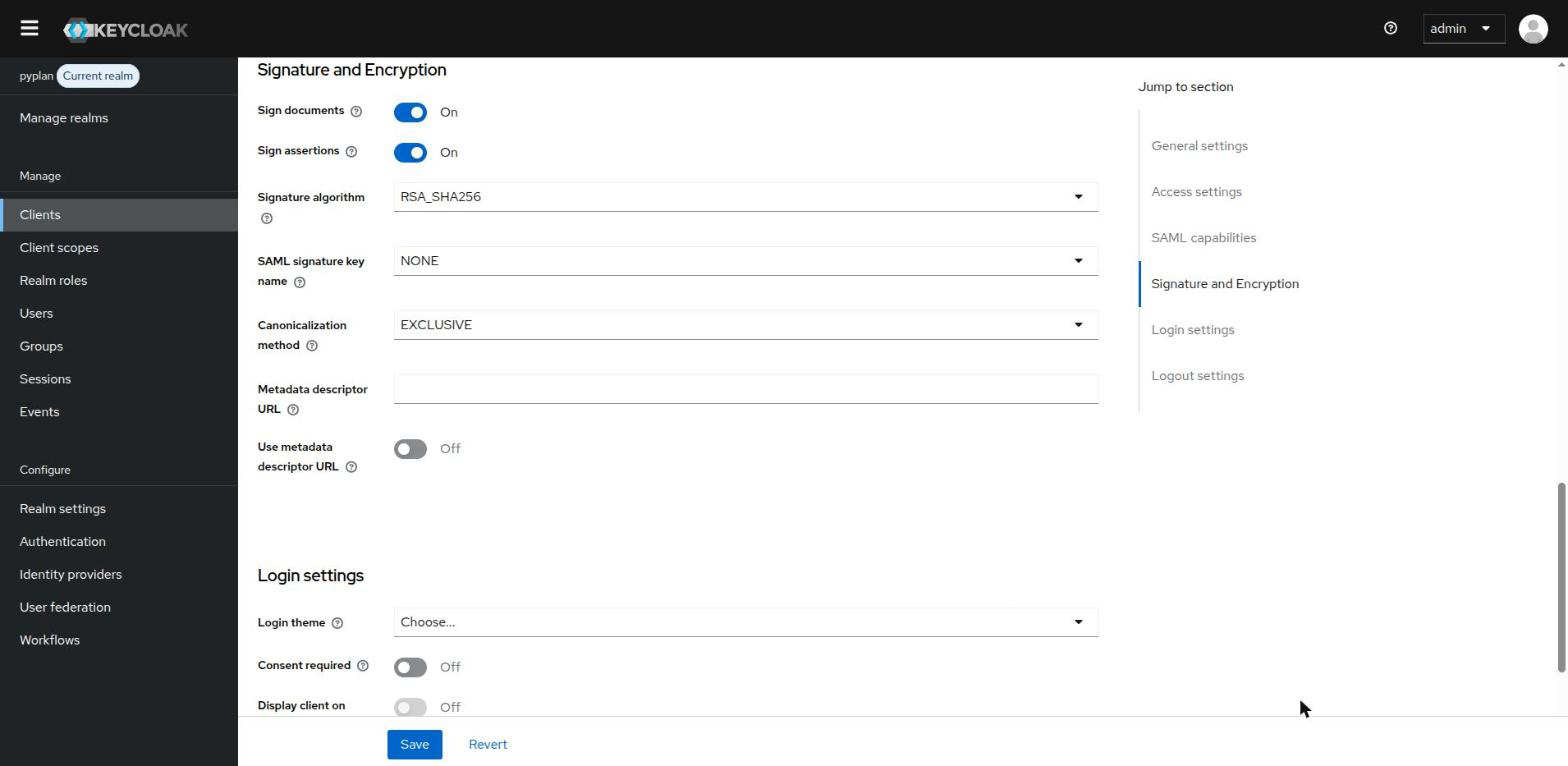
The Sign assertions setting is mandatory.
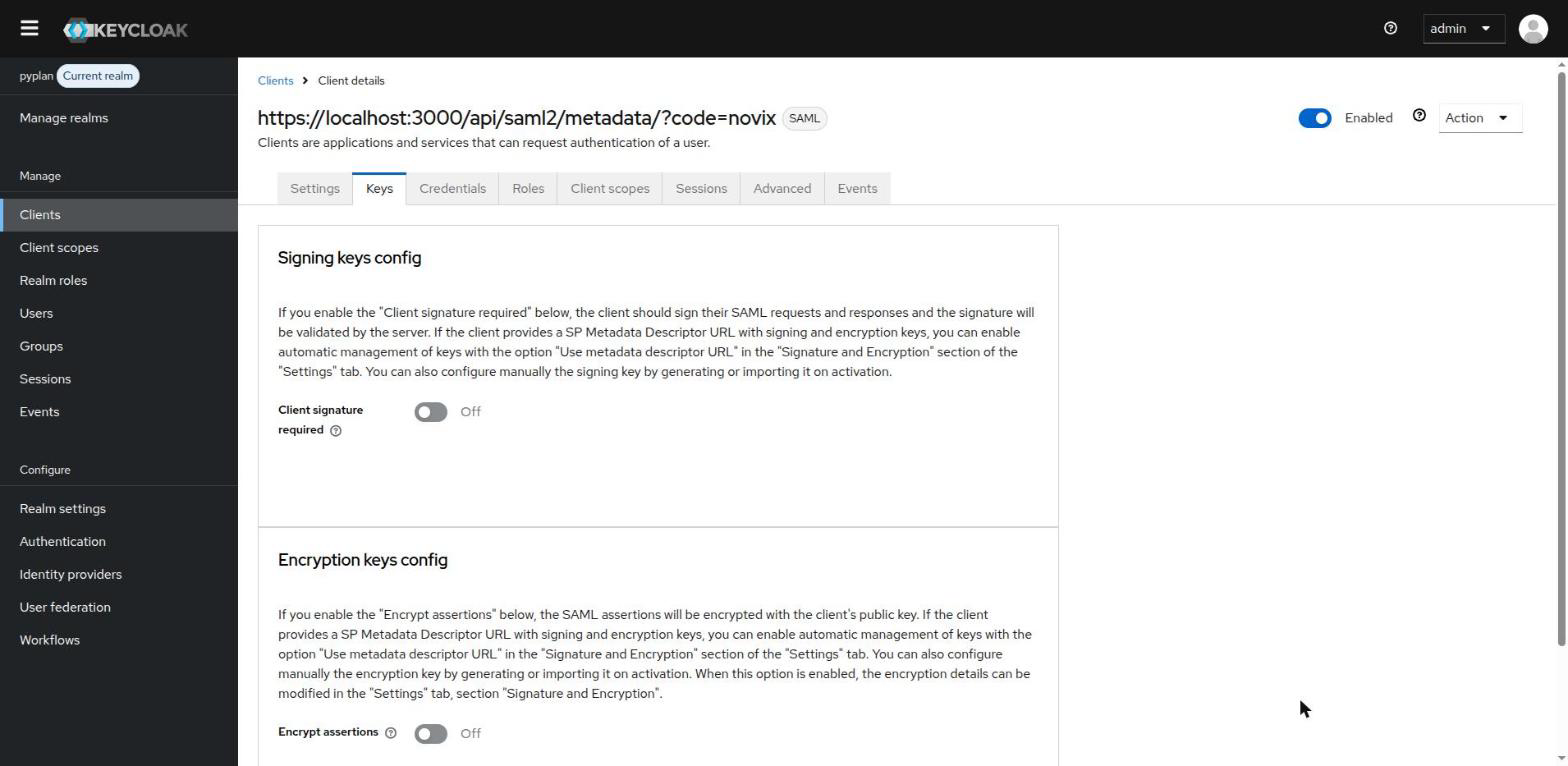
In the Keys tab, Client signature required is off. Pyplan doesn't sign its authentication requests.
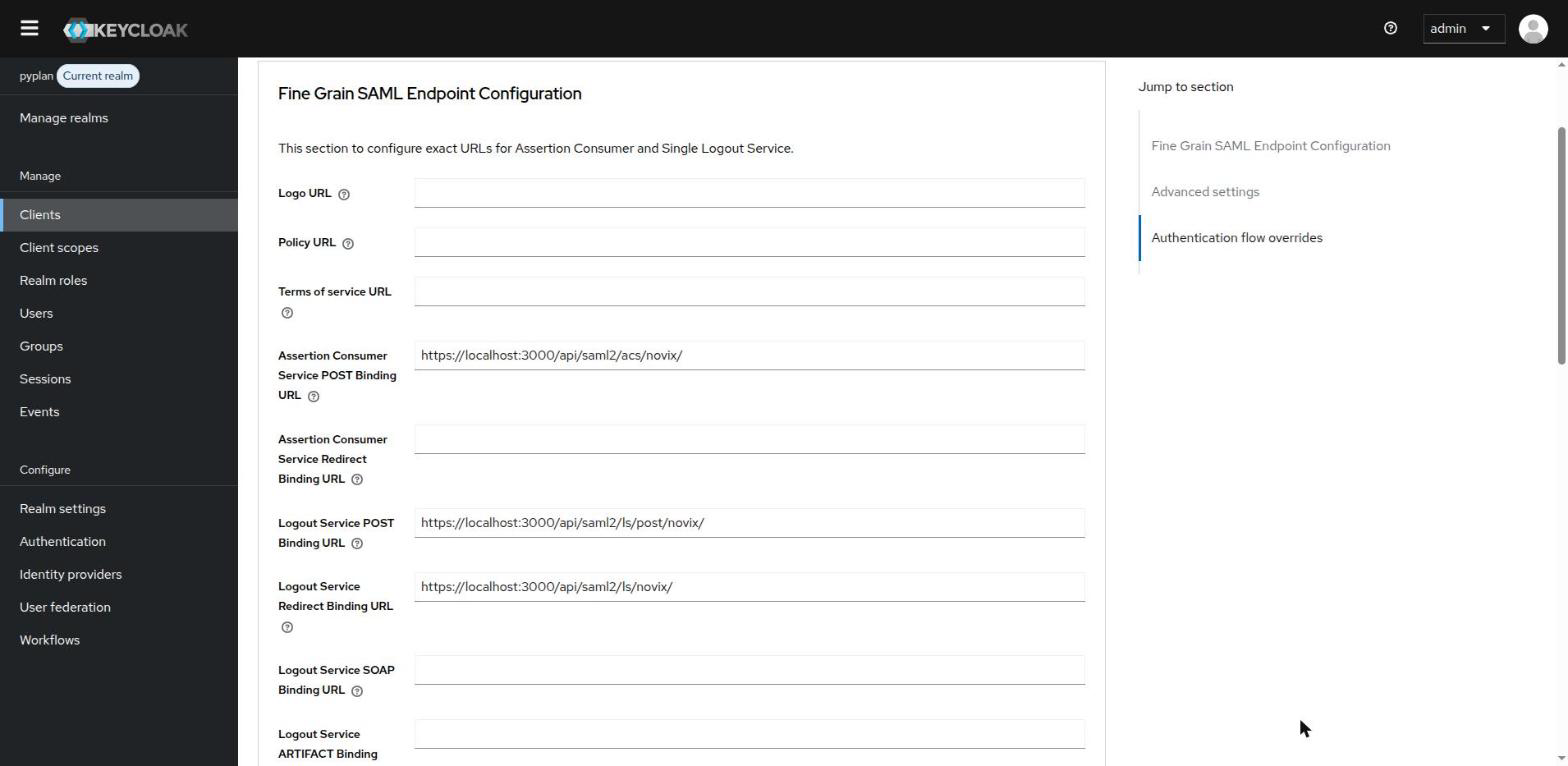
In the Advanced tab, under Fine Grain SAML Endpoint Configuration, the Assertion Consumer Service and Logout Service URLs match the ones in the table at the beginning of this page.
Configure the Attribute Mappers
Go to the Client scopes tab of the client and open the dedicated scope ([CLIENT_ID]-dedicated). The import creates one mapper for each attribute that Pyplan requests: email, givenName and surname.
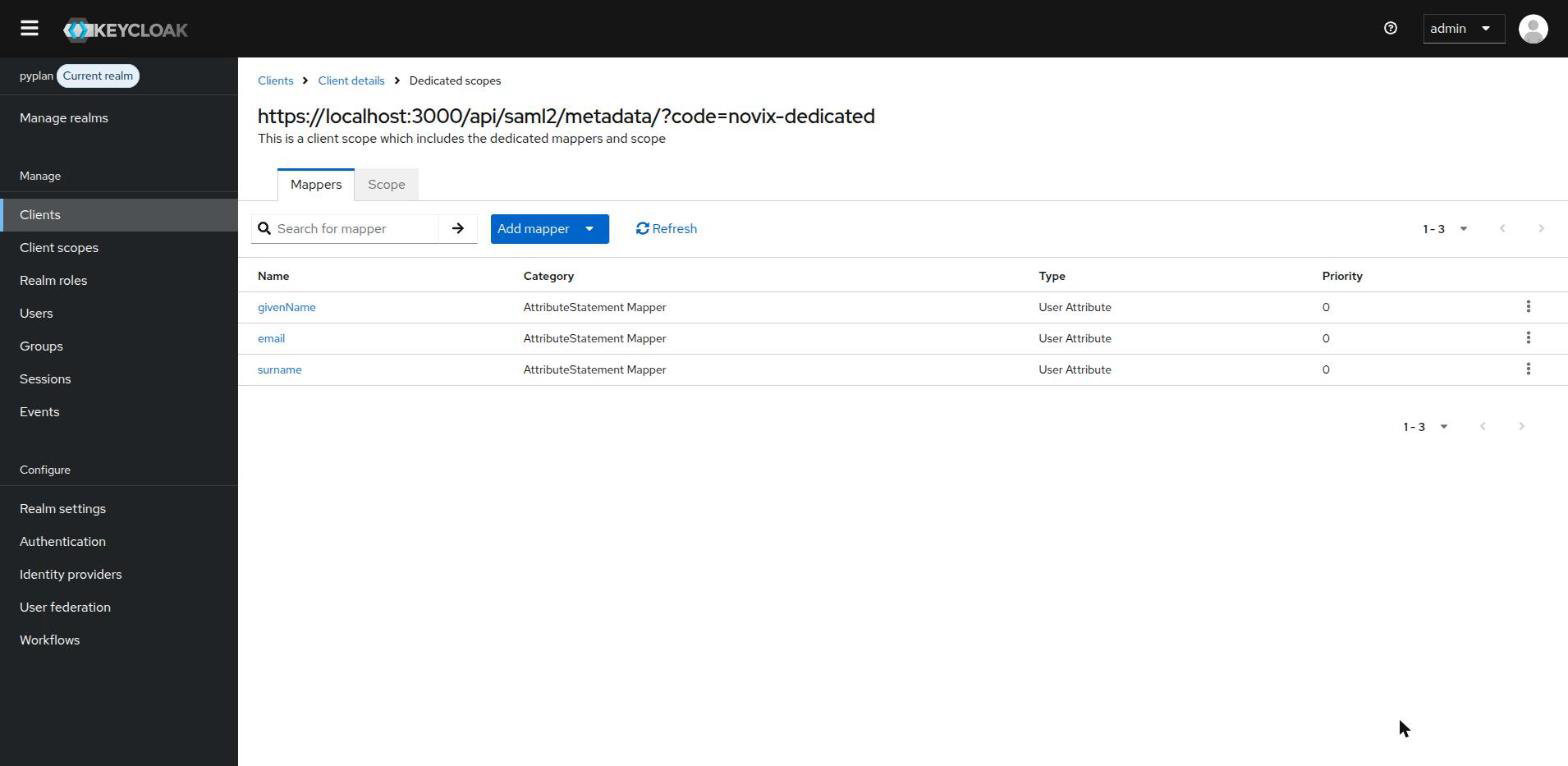
Open each mapper and set the following values:
| Mapper | User Attribute | SAML Attribute Name | SAML Attribute NameFormat |
|---|---|---|---|
email | http://schemas.xmlsoap.org/ws/2005/05/identity/claims/emailaddress | Unspecified | |
| givenName | firstName | http://schemas.xmlsoap.org/ws/2005/05/identity/claims/givenname | Unspecified |
| surname | lastName | http://schemas.xmlsoap.org/ws/2005/05/identity/claims/surname | Unspecified |
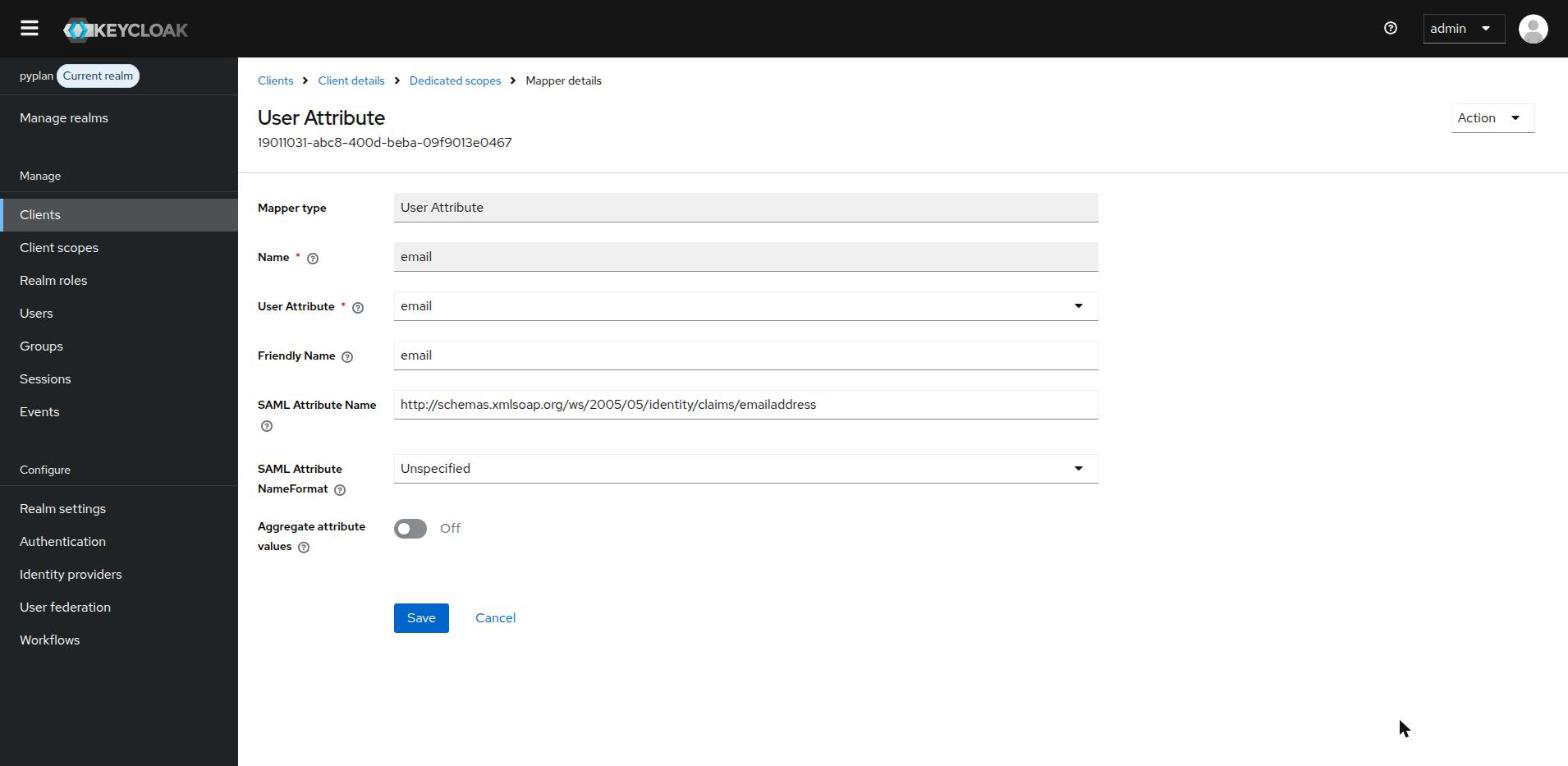
Example: email mapper
These are the attribute names of Pyplan's default attribute map. If your company uses a custom attribute map, use the names agreed with the Pyplan team instead.
Send the Identity Provider Metadata to Pyplan
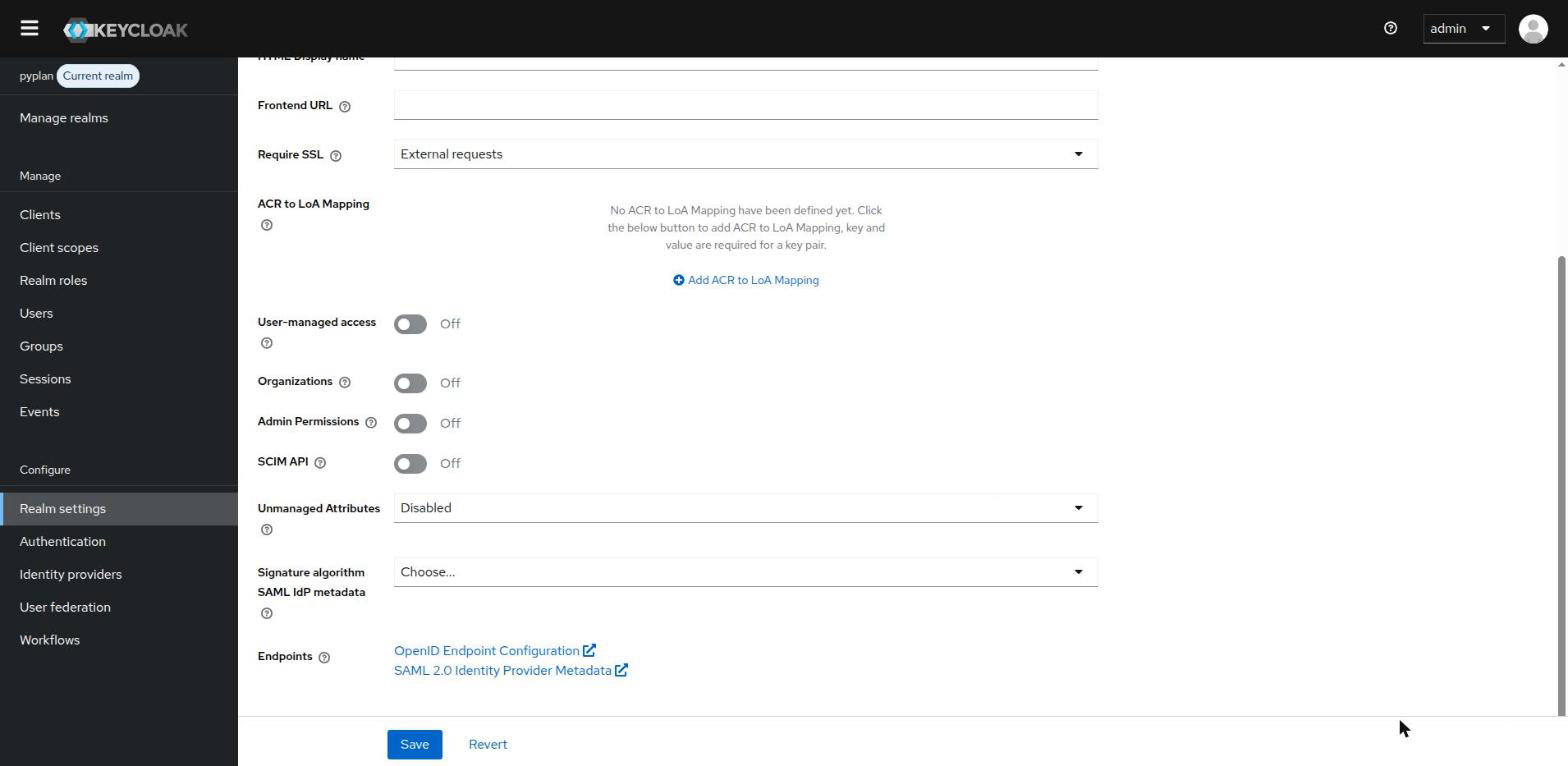
Go to Realm settings → General → Endpoints and copy the SAML 2.0 Identity Provider Metadata link. Send that URL, or the XML file it returns, to the Pyplan team.
https://[KEYCLOAK_HOST]/realms/[REALM]/protocol/saml/descriptor
Test the Sign-in
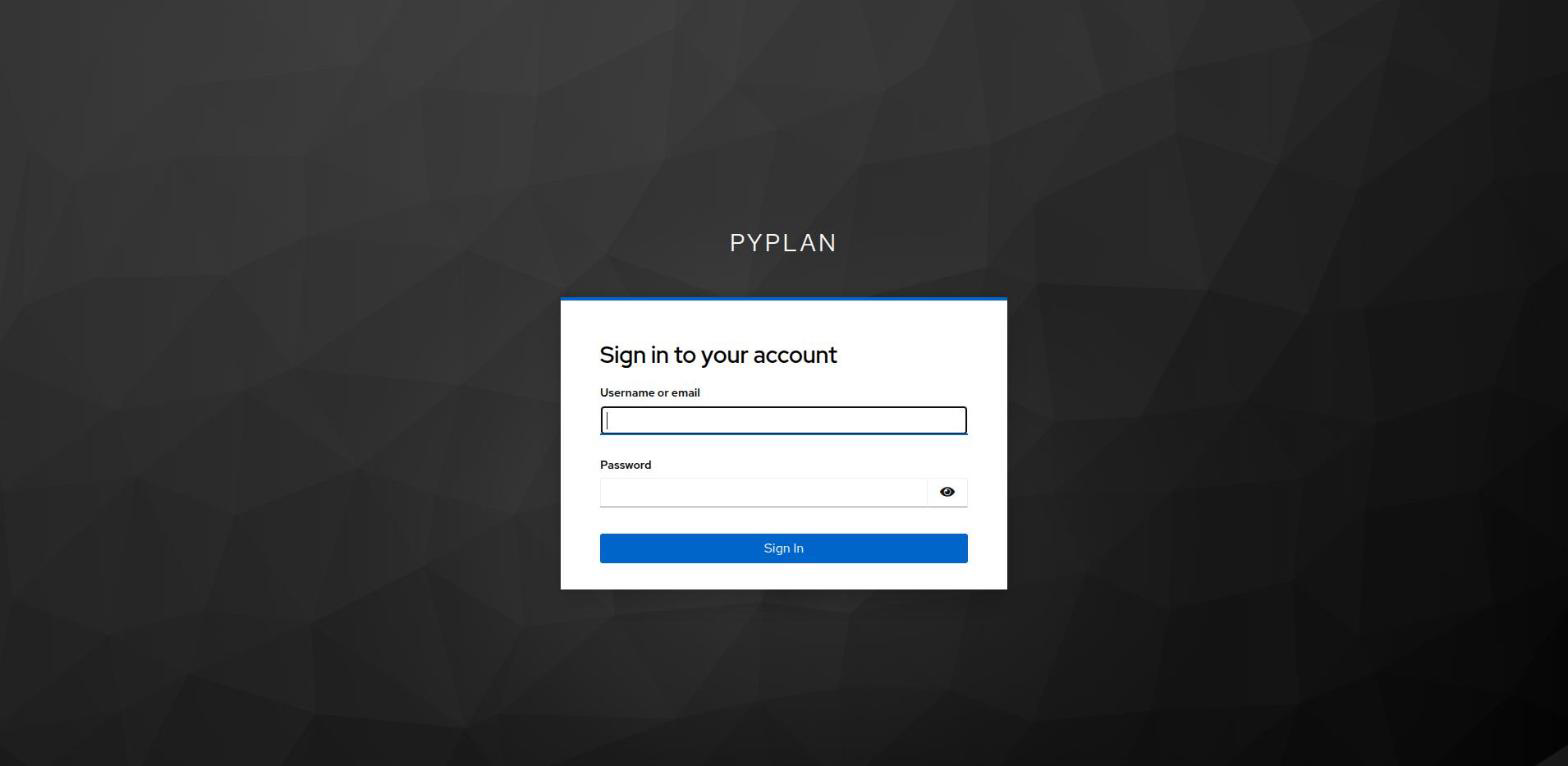
Once Pyplan has configured your company, open https://[DNS_CLUSTER_INGRESS]/saml/[COMPANY_NAME]. Pyplan redirects you to the Keycloak sign-in page of your realm and, after you sign in, back to Pyplan.
Troubleshooting
Keycloak shows "Invalid redirect uri" and its log contains Redirect URI rejected: contains forbidden OIDC parameter 'code': the URLs still use ?code=. Check that the metadata file was downloaded with url_style=path and that Pyplan configured your company with the path URLs.
Keycloak shows "Invalid redirect uri" without that log message: the Assertion Consumer Service URL in Valid redirect URIs doesn't match the one Pyplan sends. Check the host, the company code and the trailing /.