Models
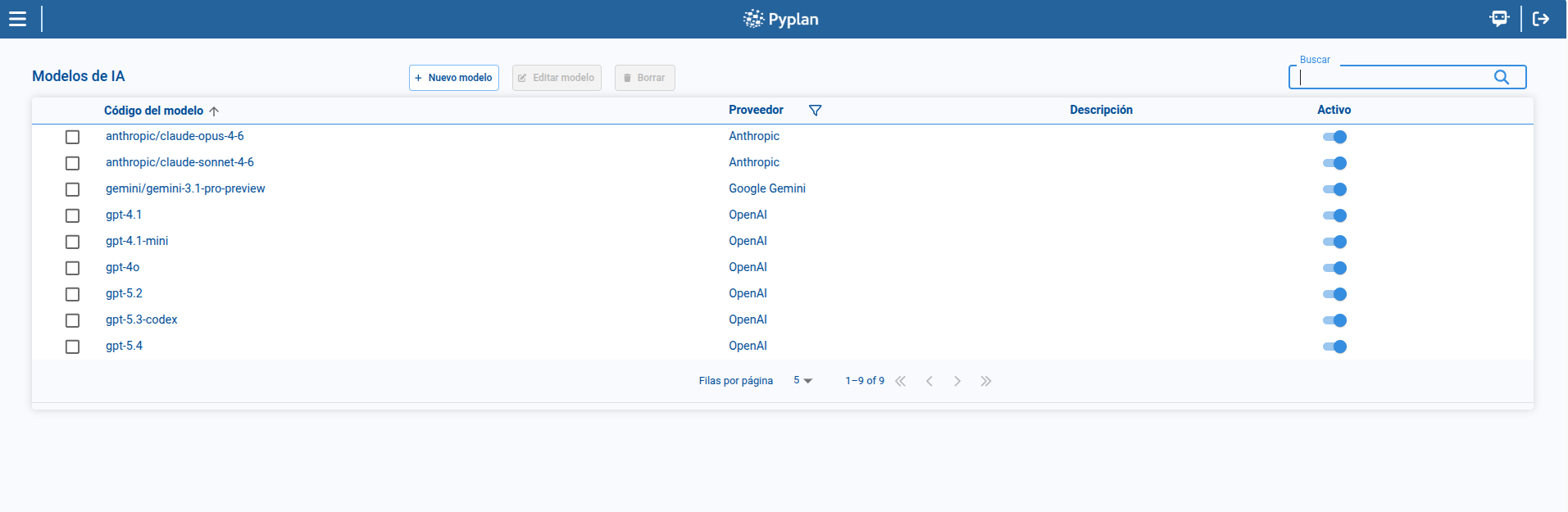
The Models page defines which AI models are available in Pyplan and how they are associated with providers. From this page, we can review model records, filter them by provider, create or edit models, change their active status, and delete models that are no longer required.
To access this page, we open AI Management and select Models.
1. Model list
The main table displays the models configured in the platform.
In the list, we can review:
- Model code
- Provider
- Description
- Active status
From this page, we can also search, sort, paginate, and select a model to enable management actions.
2. Filtering by provider
The page includes a provider filter to narrow the result set.
This filter helps us focus on the models associated with a specific AI vendor.
3. Creating or editing a model
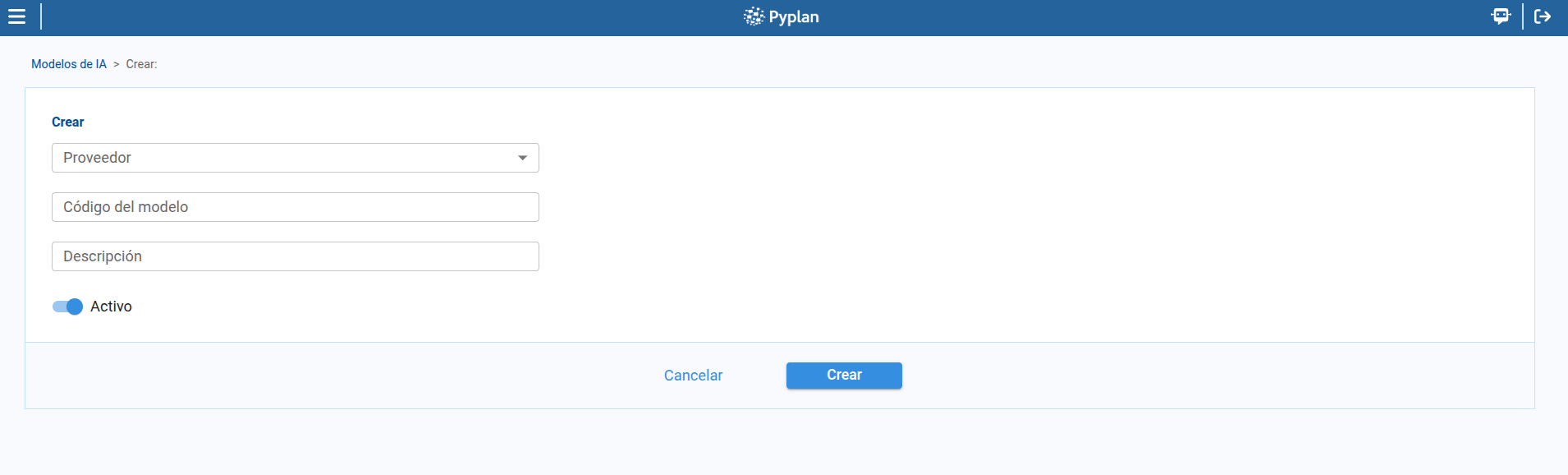
To create a model:
- We click New model.
- We select the Provider.
- We enter the Model code.
- We optionally complete the Description.
- We define whether the model is Active.
- We save the record.
To edit a model, we select a row and click Edit model.
4. Activating or deactivating models
From the list, we can change the active status of a model directly.
This allows us to keep a model definition available in configuration while controlling whether it can be used operationally.
5. Deleting a model
To remove a model:
- We select a model from the table.
- We open the delete action.
- We confirm the deletion in the dialog.
Summary
With Models, we can manage the operational model catalog:
- We review available models and their provider.
- We filter the list by provider.
- We create and edit model records.
- We activate or deactivate models directly from the list.
- We delete models through a confirmation step.