Pricing
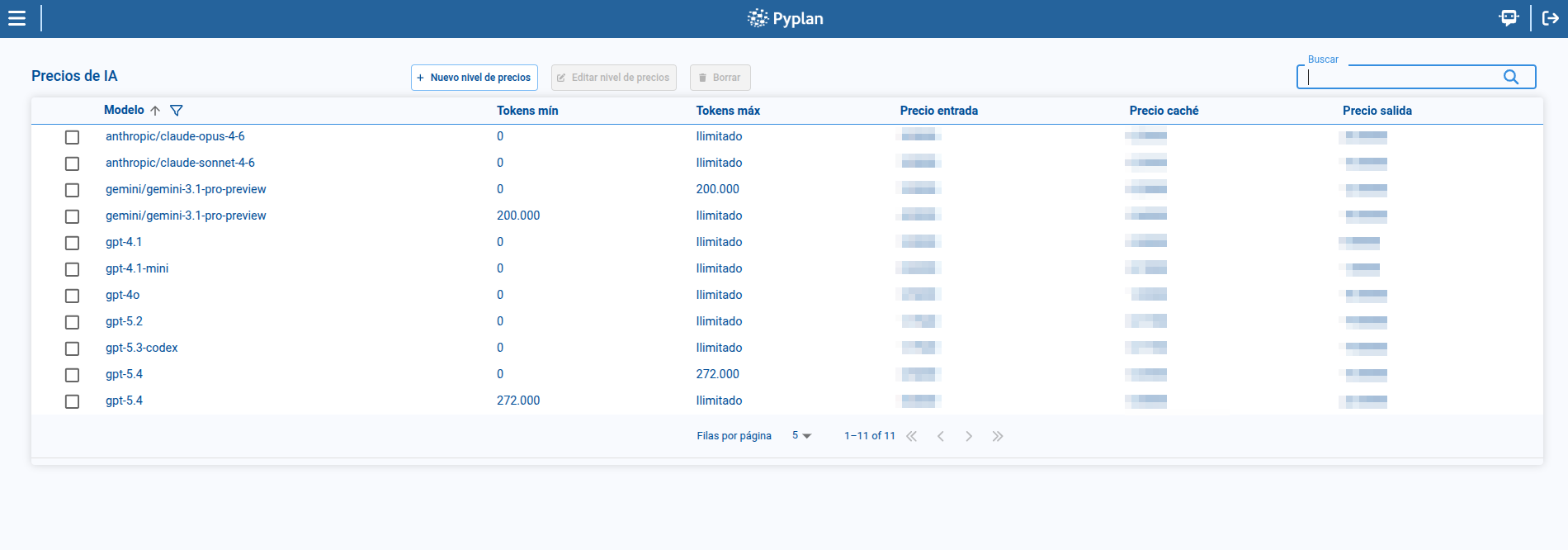
The Pricing page manages token-based pricing tiers for each AI model. From this page, we can review configured tiers, filter them by model, create new tiers, edit existing ones, and remove obsolete ranges.
To access this page, we open AI Management and select Pricing.
1. Pricing tier list
The main table shows the pricing tiers defined in the platform.
Each tier includes:
- Model
- Tokens min
- Tokens max
- Input price
- Cache price
- Output price
From this page, we can search, sort, paginate, and select a tier to enable edition or deletion actions.
2. Filtering by model
The page includes a model filter that helps us focus on the tiers associated with a specific model or subset of models.
This filter is useful when the environment contains many models with several pricing ranges each.
3. Creating or editing a pricing tier
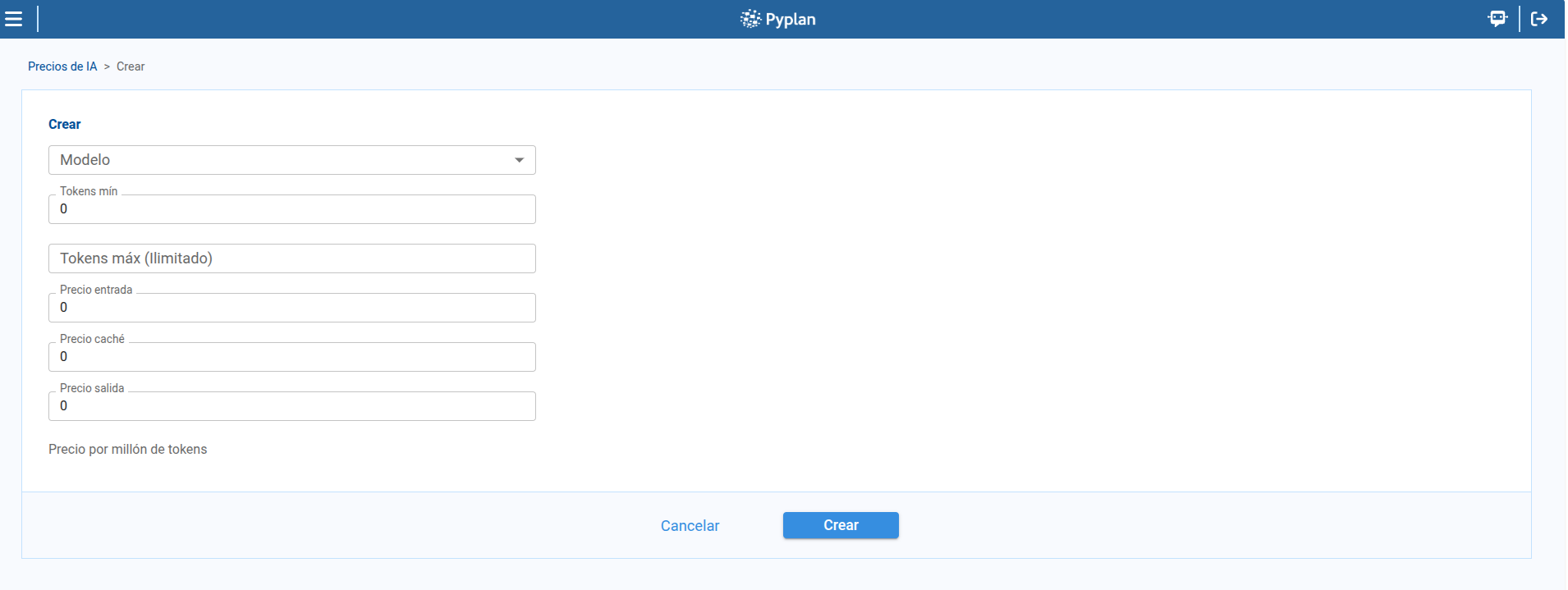
To create a tier:
- We click New tier.
- We select the Model.
- We define Tokens min.
- We optionally define Tokens max.
- We enter Input price, Cache price, and Output price.
- We save the record.
To edit a tier, we select a row and click Edit tier.
4. Deleting a pricing tier
To delete a tier:
- We select a tier from the table.
- We open the delete action.
- We confirm in the dialog.
This confirmation step helps us avoid removing a pricing range accidentally.
5. Validation rules for pricing ranges
When we define ranges, Pyplan validates them to preserve consistency.
- Tokens max must be greater than Tokens min.
- Tiers for the same model must not overlap.
If ranges overlap for the same model, the platform rejects the change until the token intervals are corrected.
Summary
With Pricing, we can maintain model cost definitions in an organized way:
- We review the list of pricing tiers.
- We filter the list by model.
- We create, edit, and delete tiers.
- We rely on validation rules to keep token ranges consistent.